

Understanding Leaf vs Page in Printing
Whether you are designing a high-end catalog, publishing a novel, or putting together a corporate brochure, navigating the vocabulary of the commercial print industry can sometimes feel like learning a completely new language. If you are brushing up on your printing terminology for graphic designers, few concepts cause as much costly confusion as the simple distinction between a leaf and a page.
In this comprehensive guide, we will explore exactly what a leaf is in printing, why leaf vs page matters, how to specify it in a print brief, and why it’s an underestimated but critical specification (including guidance to ask Remata for help on book projects). By mastering these basics, you can streamline your production process, eliminate miscommunications, and ensure your final product looks exactly as you envisioned.
What is a Leaf in Printing?
To put it simply, a leaf is a single physical piece of paper within a bound document. If you pinch one piece of paper in a book between your thumb and index finger, you are holding a leaf.
This brings us to a fundamental question: how many pages are in a leaf? The answer is always two. Every standard leaf has a front side and a back side.
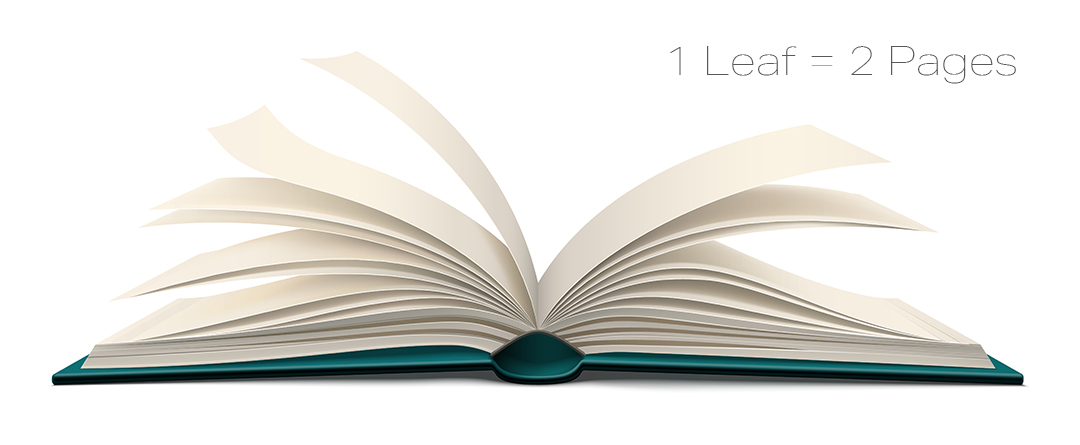
Leaf vs Page in Professional Printing
The distinction between leaf vs page printing might seem like splitting hairs, but it completely dictates how a print job is calculated, priced, and bound.
When discussing a single leaf vs double sided page, a “page” refers only to one side of that leaf. If a designer asks a printer for a “100-page book,” the printer will assume the book consists of 50 physical leaves printed on both sides. If the designer actually meant 100 physical pieces of paper, they have just accidentally ordered a book half the size they intended.
Understanding Book Signatures and Leaves
To fully grasp leaf vs page in professional printing, you have to look at how books are physically assembled. Large press sheets are folded down into smaller sections called signatures. A typical signature might contain 16 or 32 pages (which translates to 8 or 16 leaves).
These signatures are then stacked or sewn together to create the “book block.” Proper book block construction for publishers relies entirely on accurate leaf counts. If your leaf count does not easily divide into these signature folds, the printer will end up with blank pages at the back of your book, which can disrupt the visual flow of your publication.
The Importance of Leaf Count in Binding
Why is leaf print accuracy so essential for the final product? The importance of leaf count in binding cannot be overstated. The number of leaves—not just pages—along with the paper’s specific weight and thickness (GSM and caliper), determines the precise width of your book’s spine.
If you provide artwork for a book cover based on a 200-page calculation, but you accidentally specified 200 leaves (which is 400 pages) in your print brief, your designed spine will be exactly half the width it needs to be. The cover will not fit over the book block, resulting in massive delays and costly redesigns.
Avoiding Pagination Errors in Printing
Learning how to calculate book pages for printing is your first line of defense against production disasters. Here is a foolproof rule: always count your pages exactly as you would read them, starting from the very first right-hand page (recto) to the very last left-hand page (verso).
Avoiding pagination errors in printing requires keeping in mind that:
-
Odd numbers are always right-hand pages.
-
Even numbers are always left-hand pages.
-
Blank pages still count as pages. If the back of a leaf is blank, it is still a printed page in the eyes of the press, even if there is no ink on it.
Specifying Leaf Count in Print Briefs
Because of the potential for disastrous misunderstandings, knowing how to communicate your needs clearly is vital. This is why leaf count is considered an underestimated but critical specification in any solid guide to book printing specifications.
When you write your print brief, leave absolutely no room for interpretation. Here are the best practices for specifying leaf count in print briefs:
-
Use Both Terms: The easiest way to avoid confusion is to state both the pages and the leaves. For example, write: “200 Printed Pages (100 leaves).”
-
Separate the Cover: In softcover book printing, the cover is printed on a different, heavier paper stock than the interior pages. Always list the cover separately from the text block. For example: “Cover: 4 pages. Text block: 120 pages (60 leaves).”
By adapting this strict standard for your print briefs, you eliminate ambiguity and allow the estimating department to give you a perfectly accurate quote for your leaf printing project.
Why You Shouldn’t Go It Alone
Even with a firm grasp of the terminology, configuring paper stocks, spine widths, and signature folds can become mathematically complex, especially for intricate, high-volume publications. This is where partnering with a professional print consultant becomes invaluable.
If you are unsure about your specifications or need expert help for book production projects, it is always better to ask questions before the presses start rolling. We highly recommend utilizing Remata book printing consultation services. Their experienced prepress and production teams can review your files, verify your pagination, and accurately calculate your spine widths based on your chosen paper stock.
Don’t let a simple terminology mix-up derail your publication. Take advantage of expert guidance to ask Remata for help on book projects. They can walk you through the math, ensure your signatures align perfectly, and guarantee that your final product matches your creative vision.
The Final Polish
Mastering print terminology isn’t just about sounding professional; it is about protecting your budget and your timeline. Understanding the simple but profound difference between a leaf and a page gives you complete control over your project’s physical outcome. By accurately calculating your pages, clearly detailing your leaf count in your printing briefs, and leaning on industry experts like Remata when things get complicated, you guarantee a smooth, flawless print run every single time.