
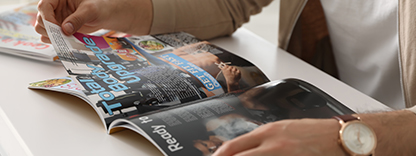
What is a Print Proof?
and what purpose do they hold
Simply put, print proofs are either hard copy proofs (also known as hard proofs) or emailed proofs (often referred to as soft or digital proofs) created from the client’s supplied print files. They provide a preview of how the final printed project will look once the files have been set up for the specific printing method being used.
This stage is a critical step in the printing process, as it allows the client to review and approve the job before it goes to print. Once the proof is checked and signed off, the printer has formal authorisation to proceed.
Why are Printer Proofs important?
In both litho and digital printing, client files are imported into the printer’s unique workflow to create the imposed layout required for the specific press being used.
While issues are not common, files can occasionally import incorrectly, causing elements to shift, drop off, or appear unexpectedly. For this reason, it is vital that the client carefully checks the proof to ensure the layout and design have transferred accurately and that they are happy to proceed.
Remember: You, as the client, are the only person who fully understands the print project and its vision.
The printer is seeing your files for the first time and may not notice something is out of place unless it is obvious.
What types of Printers Proofs are there?
Hard Copy Proofs
Hard copy proofs are usually printed using a digital or plotter printing device. While these devices do not always provide exact colour accuracy compared to the final print, they offer an excellent representation of the finished product.
These proofs are especially useful for checking:
- Trim edges and bleed
- Gutters, safe areas and spines
- Page creep
- Folds, perforations and die-cuts
- Overall layout and design elements
- Were print embellishments go like foiling, embossing, spot uv etc
Soft Copy or Emailed Proofs
Soft copy proofs are sent digitally and viewed on a screen. It is important to note that colour accuracy cannot be guaranteed, as these proofs are viewed on uncalibrated RGB monitors.
The primary purpose of a soft proof is to check content and layout. However, elements such as folds, creep, gutters, and bleed may be difficult to assess accurately on screen alone.
If you are unsure about any physical aspect of the job, request a hard copy proof.

What to check in a Printers Proof
If a Preflight Software Report Is Supplied:
- Check for warnings regarding images below 300 dpi and provide replacements where necessary.
- Review any flagged issues such as low-resolution images, RGB colours, or fonts that are not embedded. These will need to be approved or corrected.
- Note that any RGB colours found will be automatically converted to CMYK, which will result in a visible colour difference between the two colour spaces.
Checks on the Actual Soft or Hard Copy Proof:
- Confirm that the artwork matches the job specification and quotation.
- Ensure the correct version has been used, especially if multiple versions were supplied.
- Verify the finished trimmed size, number of pages, and correct page order.
- Check that all design elements are correctly positioned and that nothing is missing or unintentionally cut off.
- Ensure safe areas are clear of critical content unless the artwork is designed to bleed off the page.
- Review every page carefully to confirm that all text, graphics, photographs, page numbers, and any special finishes (such as die cuts, foil, or embossing) appear exactly as intended.
In Summary
Proofs save time and ensure that both the client and the printer are aligned before printing begins. They help identify potential issues in layout, design, or imposition before costly printing is undertaken.
A proof is the final checkpoint before print, so it is essential to review it thoroughly, ask questions if anything is unclear, and only approve once you are completely satisfied.
And if you need help and would like to discuss your current or next print project then simply call Remata Communications and Printers on 011 848 0000